 Store by Yosef Ashenafi
Glass Notes
Notes you can see through and keep on top of everything, on your Mac.
What it does
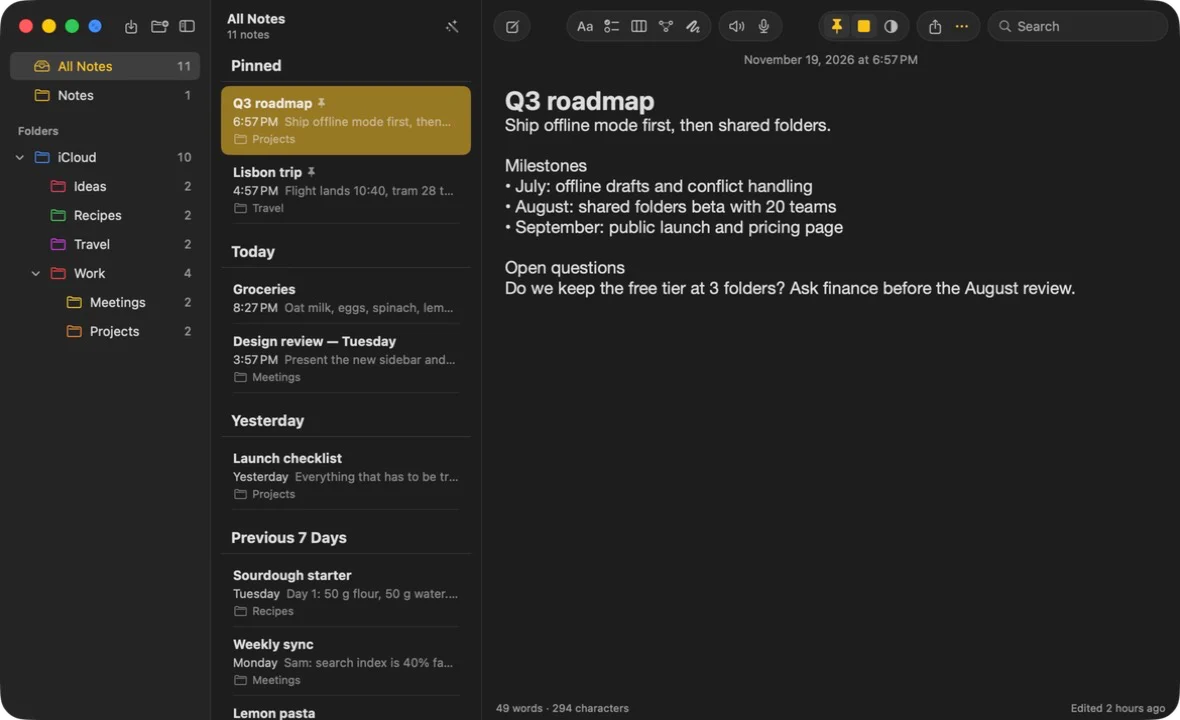
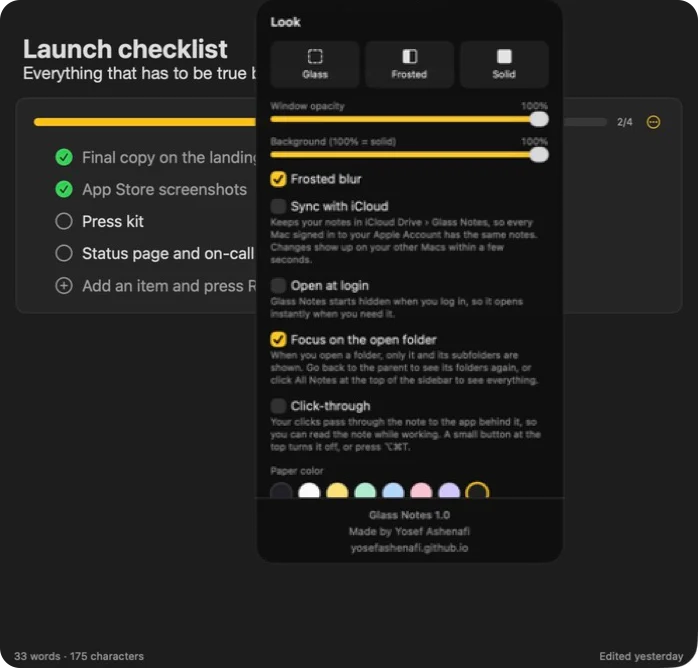
- See-through glassSet how see-through the window is, frost it, tint it, and keep reading what's behind it. Click-through lets your mouse reach the app underneath.
- Always on topPin it above every window and every Space, or shrink it to a small floating bubble.
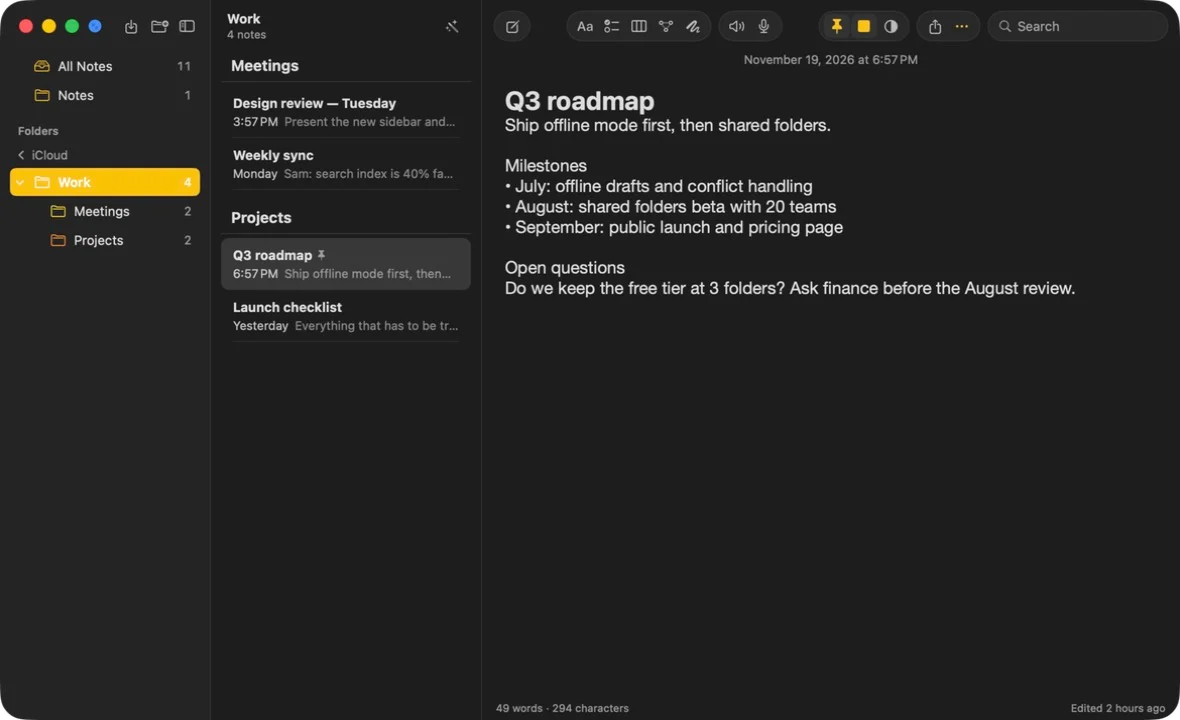
- Folders like Apple NotesFolders inside folders, colours, pinned notes, and notes grouped by date. Search everything from the toolbar.
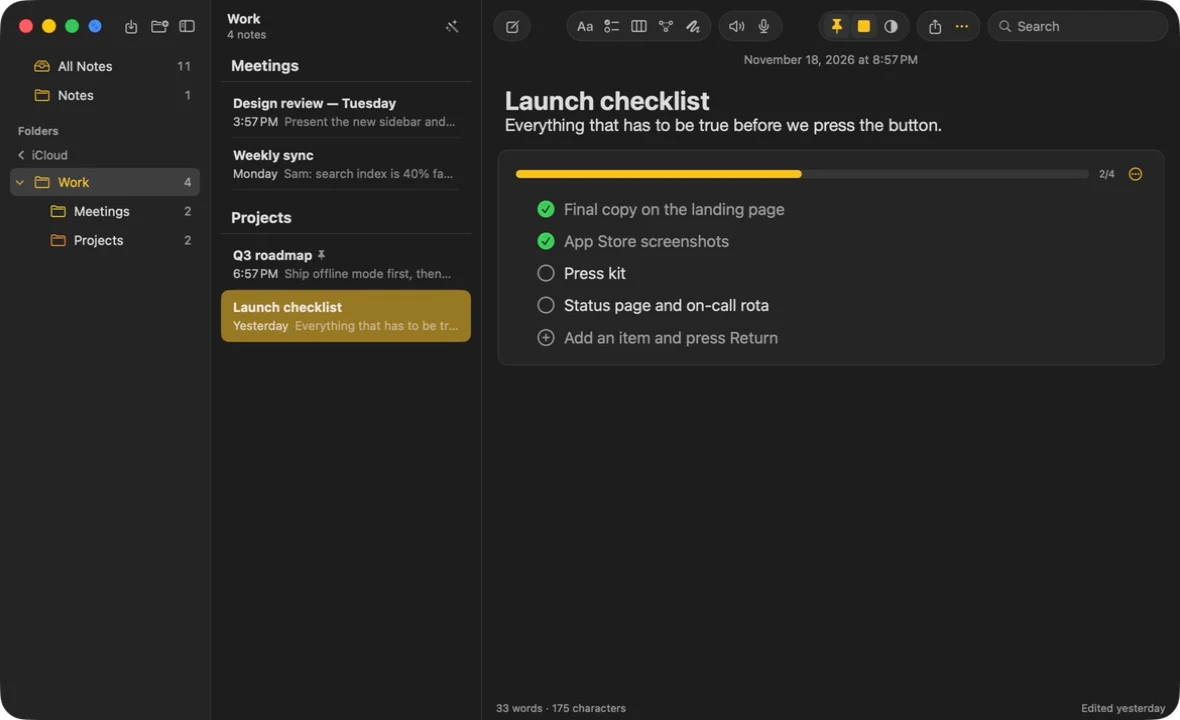
- More than textChecklists, kanban boards, mind maps and drawings, right inside a note. Type / to add one.
- Paste that looks rightPaste plain text, or keep an answer from Claude or ChatGPT looking the way it did, code blocks and lists included.
- Bring your Apple NotesImport them in one step, folders and dates included. Apple Notes isn't changed.
- Read aloud and dictateHave a note read to you, or speak and watch it type.
- Sort notes for youOn macOS 26 with Apple Intelligence, Glass Notes can sort a messy folder into new folders by what the notes are about. You see the plan first.
Your notes stay yours
Notes are saved on your Mac. There's no account. If you turn on iCloud sync, they go to your own iCloud Drive so your other Macs get them too, and nowhere else.
How to install
- Download Glass-Notes-1.0.0.zip on your Mac. Safari unzips it for you; in other browsers, double-click the zip.
- Drag Glass Notes into your Applications folder, then double-click it.
- macOS says it can't check the app. Click Done. It shows this for apps that don't come from the App Store.
- Open System Settings, then Privacy & Security. Scroll down and click Open Anyway next to Glass Notes, then Open Anyway again and enter your Mac password.
You only do this once. On macOS 13 or 14 you can instead Control-click the app, choose Open, then Open.
Handy shortcuts
| ⌥⌘N | Show or hide Glass Notes, from any app |
| ⌥⌘K | Quick note |
| ⌥⌘G | Solid or see-through |
| ⌥⌘H | Shrink to a floating bubble |
| ⌥⌘T | Click-through on or off |
Good to know
- Needs
- A Mac with an Apple chip (M1 or newer) and macOS 13 Ventura or newer
- Your notes
- On your Mac, plus your own iCloud Drive if you turn on sync
- Open at login
- Optional, in Settings
- Uninstall
- Drag Glass Notes from Applications to the Trash